Keep the rates in sight.
Download sits above upload in the menu bar. Rates update every second, and opening the quick view gives you more context.
 An independent app by Mujeeb Muhideen
Your network, at a glance.
A minimal, open-source network monitor for Mac. Keep download and upload rates in your menu bar, with a clear view of recent traffic when you need it.
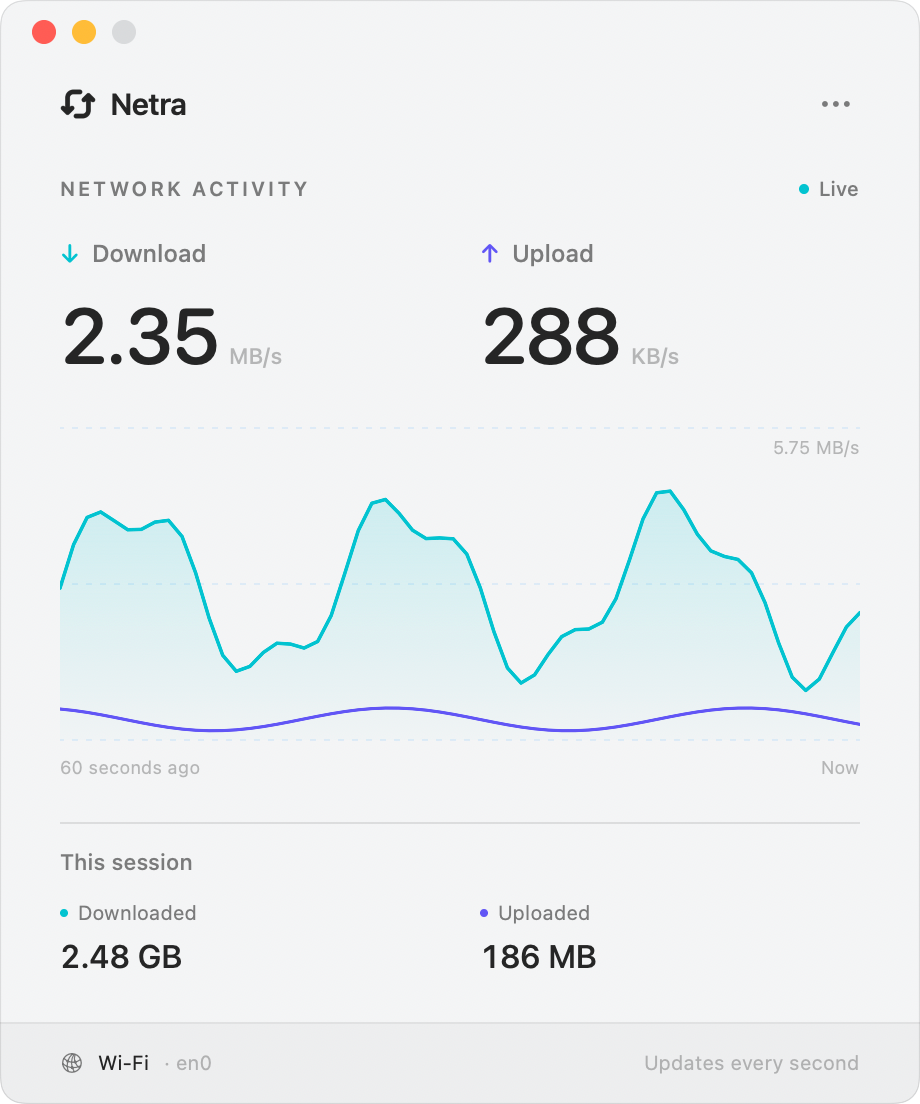
The useful numbers
Download sits above upload in the menu bar. Rates update every second, and opening the quick view gives you more context.
Follow download and upload on a rolling 60-second graph, with totals for the current monitoring session.
Choose a Compact, Balanced, or Spacious fixed window. There is no sidebar, and closing the window keeps menu bar monitoring running.
Let Netra choose a physical network interface automatically, or select one yourself. The source is available to read and build on GitHub.
Kept on your terms
Netra reads byte counters from your Mac’s network interfaces. It does not inspect packets, record the sites you visit, or send monitoring data to a developer server. Recent activity and session totals stay in memory.
Read the privacy policyA few useful answers
The source is available on GitHub. The current project targets macOS 15 or later and uses Xcode 27.1. Clone the repository and follow its build instructions.
No. Netra shows the traffic currently passing through the selected physical network interface. It does not run a speed test, and interface counts can include local-network traffic and protocol overhead.
Netra currently monitors one physical network interface at a time. It does not break traffic down by app, website, or remote destination.
Netra keeps monitoring in the menu bar. Open its quick view to return to the main window, or choose Quit Netra to stop the app. Session totals reset when Netra launches or when you choose Reset Session.
Netra counts bytes on a single physical en* interface and excludes virtual interfaces such as VPN tunnels to avoid counting the same traffic twice. Sampling intervals, resets, interface choices, and protocol overhead can also affect comparisons.
A direct line to the developer
Build Netra, choose the connection to monitor, or report a reproducible issue.
Support guideInclude your Netra and macOS versions, the selected interface, and steps to reproduce the issue. GitHub issues are public; leave out passwords, IP addresses, packet captures, and other private network details.